Language Support
Kanoa MES screens can be shown in any of the languages installed on the gateway. Each user picks their own language, and a gateway admin chooses which languages are installed.
Kanoa's translations cover almost all of the text used throughout the Kanoa application, in 33 languages besides English.
Kanoa's translations were generated with AI, so a translation may not be exact or natural in every context. Check the languages your users need, and change any term for your site (see Adding or changing translations).
Changing the language
Click the options icon (the three dots at the top right of the header) to open the Options menu, then click a language under Languages. The menu lists English, the languages ticked on the Kanoa settings page, and any language your site added itself, each in its own name with the English name after it. The change applies to your session straight away.
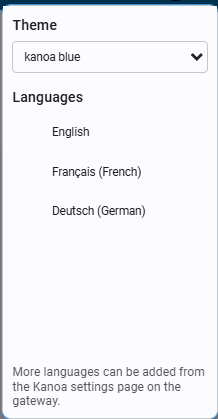
On Ignition 8.1, a note under the list says more languages can be added from the Kanoa settings page on the gateway.
Choosing the installed languages
Kanoa carries translations for 34 languages: Arabic, Bangla, Bulgarian, Chinese, Croatian, Czech, Danish, Dutch, English, French, German, Hebrew, Hindi, Indonesian, Italian, Japanese, Korean, Marathi, Norwegian Bokmål, Persian, Polish, Portuguese (Brazil), Portuguese (Portugal), Russian, Serbian, Slovak, Slovenian, Spanish, Swedish, Tamil, Telugu, Thai, Turkish and Ukrainian.
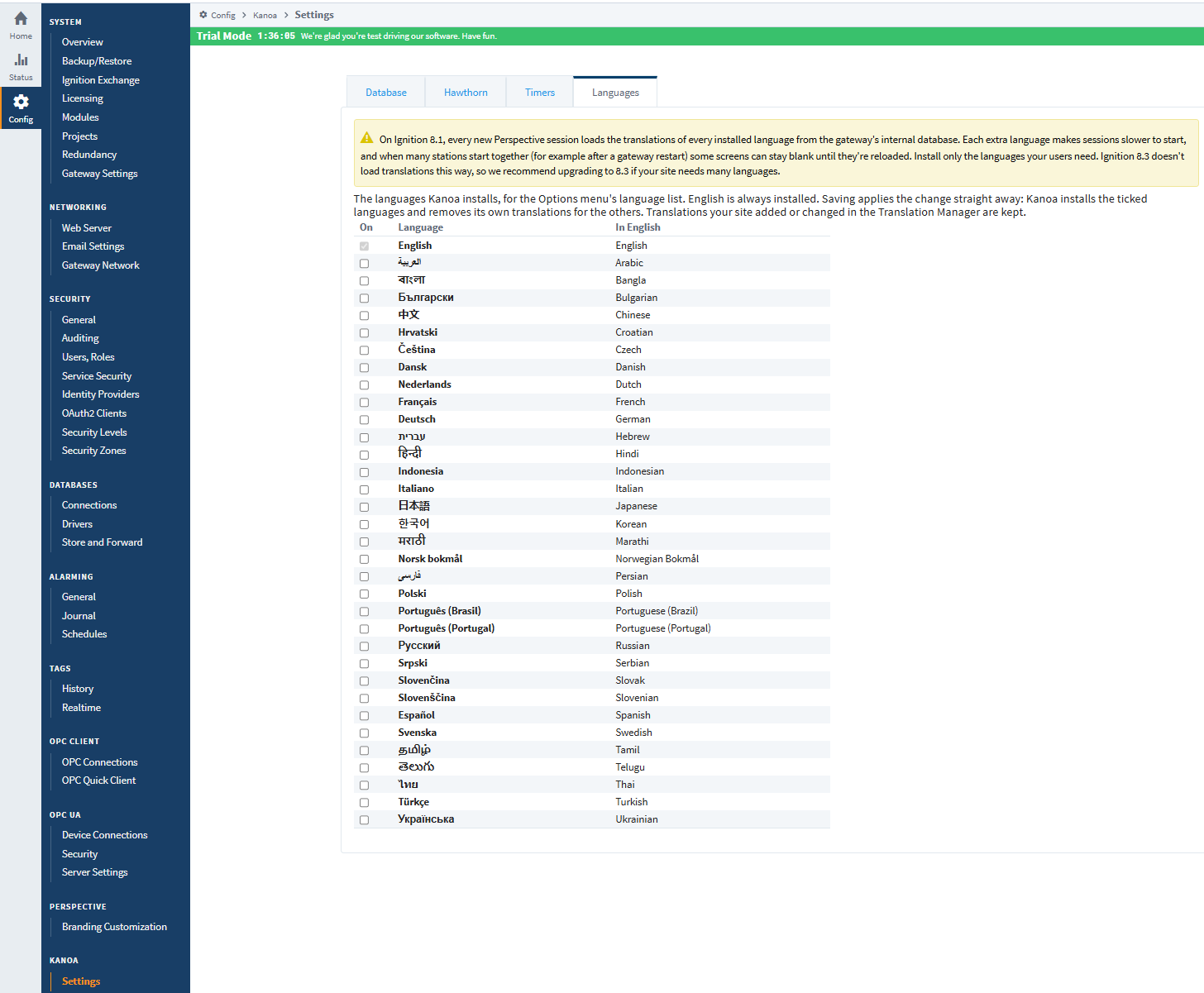
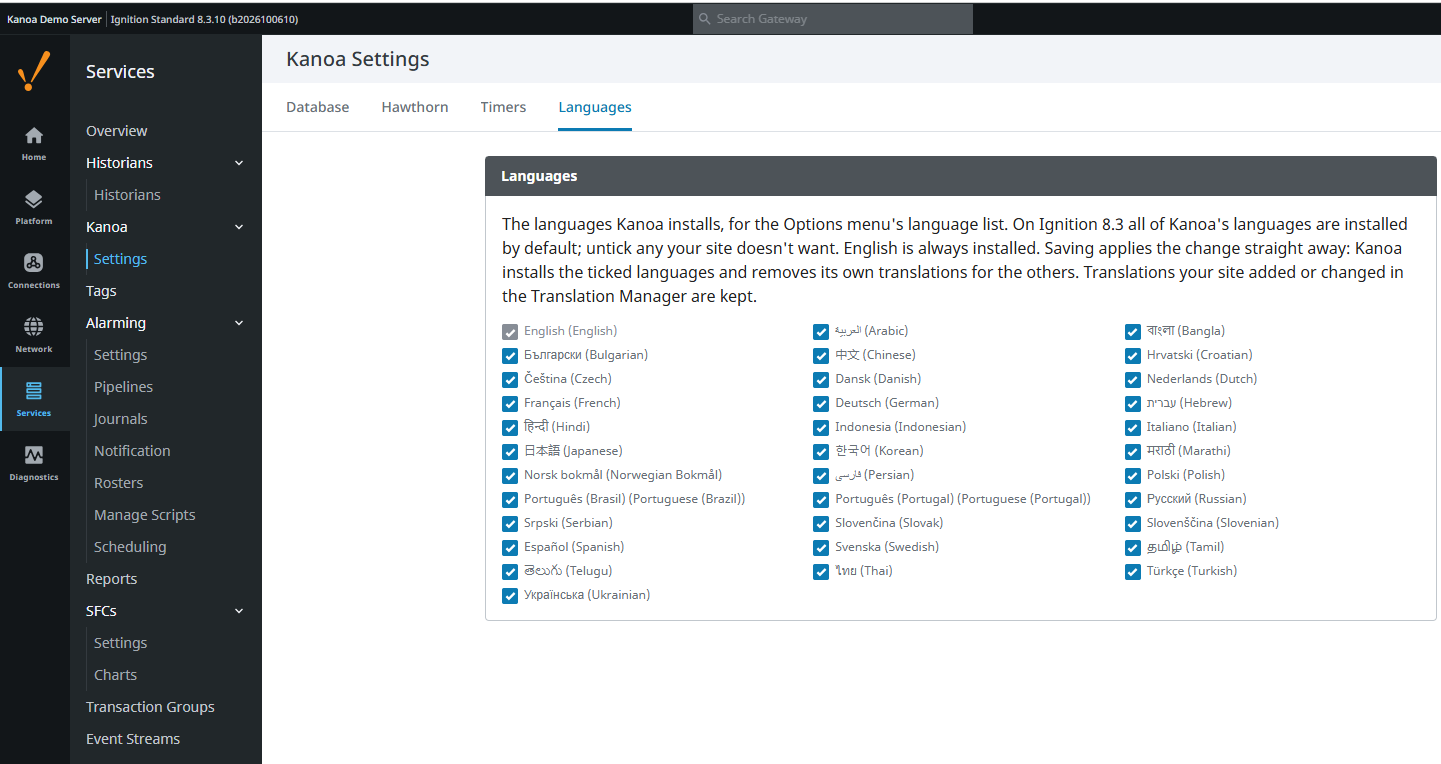
A gateway admin chooses which of them are installed on the Languages tab of the Kanoa gateway config page (Kanoa > Settings). Tick the languages your users need and click Save Languages. Saving applies the change straight away: Kanoa installs the ticked languages and removes its own translations for the others. English is always installed.
English, Spanish and Chinese are installed by default, on Ignition 8.1 and 8.3 alike. On the first start of Kanoa MES 1.16, any other installed language is removed, unless your site has added its own translations to it: such a language is kept and shown ticked.
Every installed language adds to the work of starting each Perspective session, as the session loads the translations of every installed language. On Ignition 8.1 they're read from the gateway's internal database, which allows one connection at a time, so each extra language makes sessions slower to start, most of all when many stations start together, such as after a gateway restart. Ignition 8.3 doesn't read them from the database but still builds them for each new session. Tick only the languages your users need. If your site needs many languages, we recommend Ignition 8.3.
Adding or changing translations
Use Ignition's Translation Manager (in the Designer) to change how Kanoa's text is translated, to translate your own text (asset, reason and item names, for example), or to add a language Kanoa doesn't carry.
How your translations are treated depends on whether the term is one of Kanoa's:
- Your own terms, text Kanoa doesn't have a translation for, are always kept. Module updates and unticking a language never remove them.
- Changes to Kanoa's translations last until Kanoa installs that language again. A module update that changes the language's translations installs it again and puts back Kanoa's text for every term, so re-apply your changes after updating. Unticking the language removes all of Kanoa's terms in it, including the ones you changed, and ticking it again installs Kanoa's text.
- Ignition matches terms without regard to case, so a term that differs from one of Kanoa's only in capitalization is treated as Kanoa's.
When you untick a language that has your own terms, those terms stay installed but the language is no longer offered in the Options menu. Tick it again to offer it, with Kanoa's translations reinstalled. A language Kanoa doesn't carry, which you added yourself, is always offered and never changed by Kanoa.
Text that scripts build from parts, such as "2 hrs 14 mins" or "152 units of … produced in …", comes from Kanoa's translation terms too, so it follows the same rules.