Kanoa Maintenance Training
Kanoa Maintenance is turned on in the application settings. Until it is, its screens aren't in the navigation menu.
- Open Configuration → Application → Settings.
- In the Kanoa Module section, turn on Enable Kanoa Maintenance.
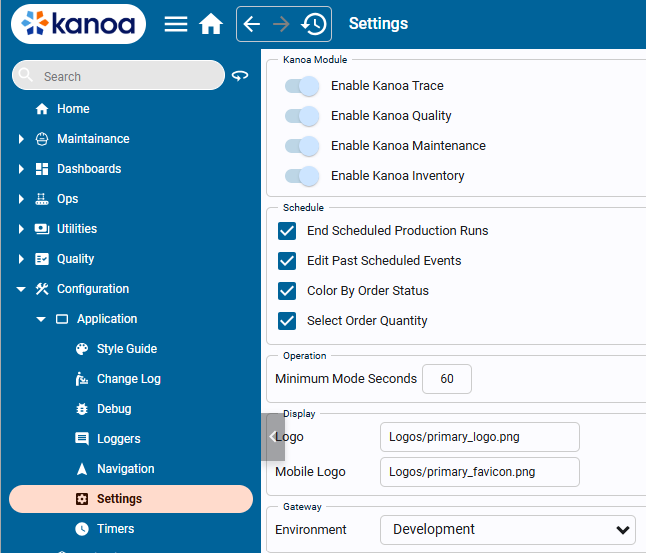
Without a Kanoa Maintenance license, it runs in trial mode. See Applying a License.
This section is focused on Kanoa Maintenance: planning maintenance work, getting it to technicians at the right time, recording what they did, and measuring how well the maintenance team is keeping up.
Because Kanoa Maintenance runs inside Kanoa MES, work orders are raised against the same assets you modeled in Kanoa Ops, and can be generated from the same production data, such as run hours and counts.
Kanoa Maintenance separates planning from execution:
| Planning | Execution |
|---|---|
| A work order template says what maintenance should happen, on which asset, with which procedure | A work order is one real job generated from the template, assigned to a technician |
| A schedule type (One Time, Recurring or Condition) says when work orders are generated | Each work order moves through statuses such as Open, Assigned, In Progress and Completed |
Reference Materials: Kanoa Maintenance - What Maintenance does and how it fits into Kanoa MES.
Kanoa Maintenance is an integrated maintenance management solution built directly into Kanoa MES, enabling teams to manage maintenance workflows alongside production, quality, and operational analytics.
Unlike traditional CMMS systems, Kanoa Maintenance operates natively within the Ignition + Kanoa MES environment, eliminating system fragmentation and allowing maintenance to be analyzed in the same context as production performance.

 is an add-on solution to KanoaOps
| In This Section | |
|---|---|
| Work Order Management | Work Order Management overview |
| Analytics | Built-in KPI's to provide a complete view of maintenance performance |
| Procedures | Define step-by-step instructions technicians follow when executing maintenance work |
| Creating Work Orders | Create one off work orders or reusable templates |
Work Order Management
- Create, assign, and track work orders
- Manage full lifecycle from creation to completion
- Capture technician actions and status changes
- Filter by asset, type, priority, and status
Work orders are the core unit of maintenance execution. Each work order moves through a workflow of statuses: by default Open, Assigned, In Progress, On Hold, Completed and Cancelled (see Work Flow Status). Work orders capture asset and location, maintenance type (preventive, corrective, etc.), priority, the assigned user, labor hours, parts used and timestamps for lifecycle events.
The system tracks all open work orders and provides insight into backlog health. Backlog aging shows how long work orders have been open to help identify stale or neglected work, capacity issues or prioritization problems.
Maintenance is performed against assets defined in the Kanoa MES asset model. This enables equipment level maintenance tracking, hierarchical rollups (line, area, plant) and integration with production and downtime data.
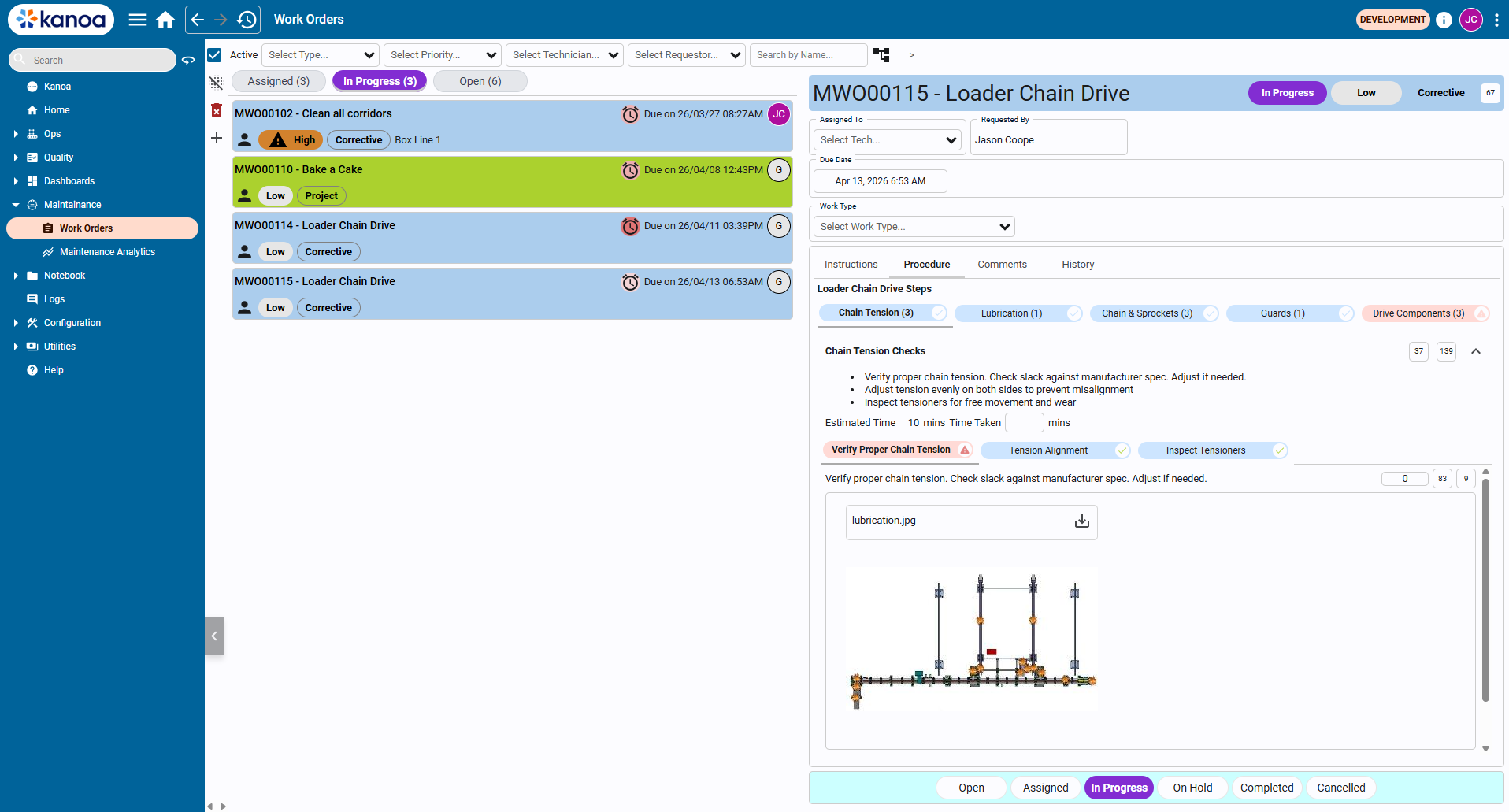
You'll keep CoreForge's Machine 1 running:
- Maintenance Setup: set up the maintenance lookups and a technician, and write a preventive maintenance procedure.
- Work Orders: raise a one-time repair, work it through to completion, then schedule recurring and run-hour-based maintenance.
- Maintenance Analytics: read the maintenance KPIs, backlog and labor hours.
- Maintenance Integration: the developer's part: raise work orders from machine signals, put maintenance KPIs in your
own views, and move templates between gateways, with the
system.kanoa.cmmsfunctions.
The first three chapters are the same screens a plant's maintenance staff use, and the User Training Maintenance Manager and Maintenance Technician tracks share their steps. The last chapter is for developers only.
Before You Start
- Complete Kanoa Ops Training, or at least Base Configuration. Machine 1 must be running in the simulator for the run-hour lesson.
- Your gateway needs a Kanoa Maintenance license (a trial license is fine).
- Maintenance screens are under Maintenance (Work Orders, Maintenance Analytics) and Configuration → Maintenance (Work Orders, Procedures).