Work Orders
You don't create work orders one by one. You create a work order template that defines the job, and its schedule type decides when real work orders are generated from it:
| Schedule type | Generates | Use it for |
|---|---|---|
| One Time | A single work order | Repairs, installations, project tasks, ad hoc requests |
| Recurring | Work orders on a calendar schedule | Preventive maintenance, routine inspections, safety checks |
| Condition | A work order each time an asset's run hours or a counter passes a threshold | Usage-based maintenance |
A template generates nothing until its version status is Released. Each work order gets a name such as MWO00001 from the maintenanceWorkOrder serialization.
Reference Materials: Schedule Types
Schedule Types
A Work Order template includes a Schedule Type, which determines how work orders are generated. When a template is active i.e. 'Released', the system evaluates its schedule configuration. When the criteria are satisfied, an actual work order is created.
Kanoa Maintenance supports three primary schedule behaviors:
Use One Time when the template should generate a single work order.
This is useful for:
- one-off repairs
- installation work
- project tasks
- ad hoc maintenance requests
When a template is configured as One Time, the system generates one actual work order from that template.
Use Recurring when the template should continuously generate work orders on a defined schedule.
This is typically used for:
- preventive maintenance
- routine inspections
- repeating safety checks
- calendar-based maintenance programs
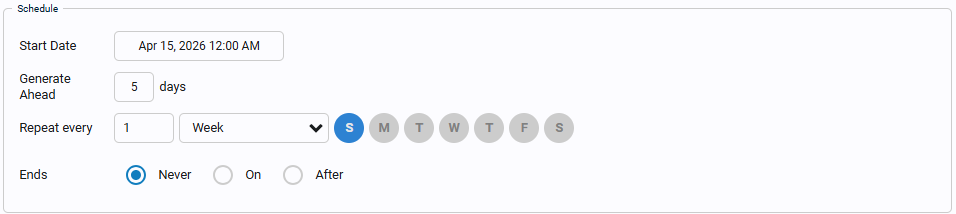
When a template is configured as Recurring, the system creates actual work orders according to the recurrence settings.
Recurring schedules are best used when maintenance should happen on a predictable interval, such as:
- every day
- every week
- every month
- every X days/hours depending on schedule configuration
Use Condition when the template should generate work orders only after a defined asset condition, counter, or threshold is met.
This is typically used for:
- runtime-based maintenance
- counter-based maintenance
- threshold-triggered inspections
- condition-based corrective or preventive work
When a template is configured as Condition, he maintenance order can be set to be triggered whenever the asset run hours or counter values reach a certain threshold. Condition scheduling is useful for maintenance strategies that should not be driven by calendar date alone.


In this section you will:
- Raise a one-time corrective work order for a Machine 1 problem.
- Work it as a technician: assign, start, log labor and complete.
- Schedule Machine 1's weekly PM with a recurring template.
- Generate maintenance from Machine 1's run hours.