Production Rates
The Production Rates tab provides a method for linking which items (products) can be produced on which assets. The Item asset linker popup provides a fast way to link multiple assets with multiple items.
Once you have linked which items can be produced on which assets, you can then edit the production rate information that defines how we determine if an asset is under or over-performing in terms of OEE Performance.
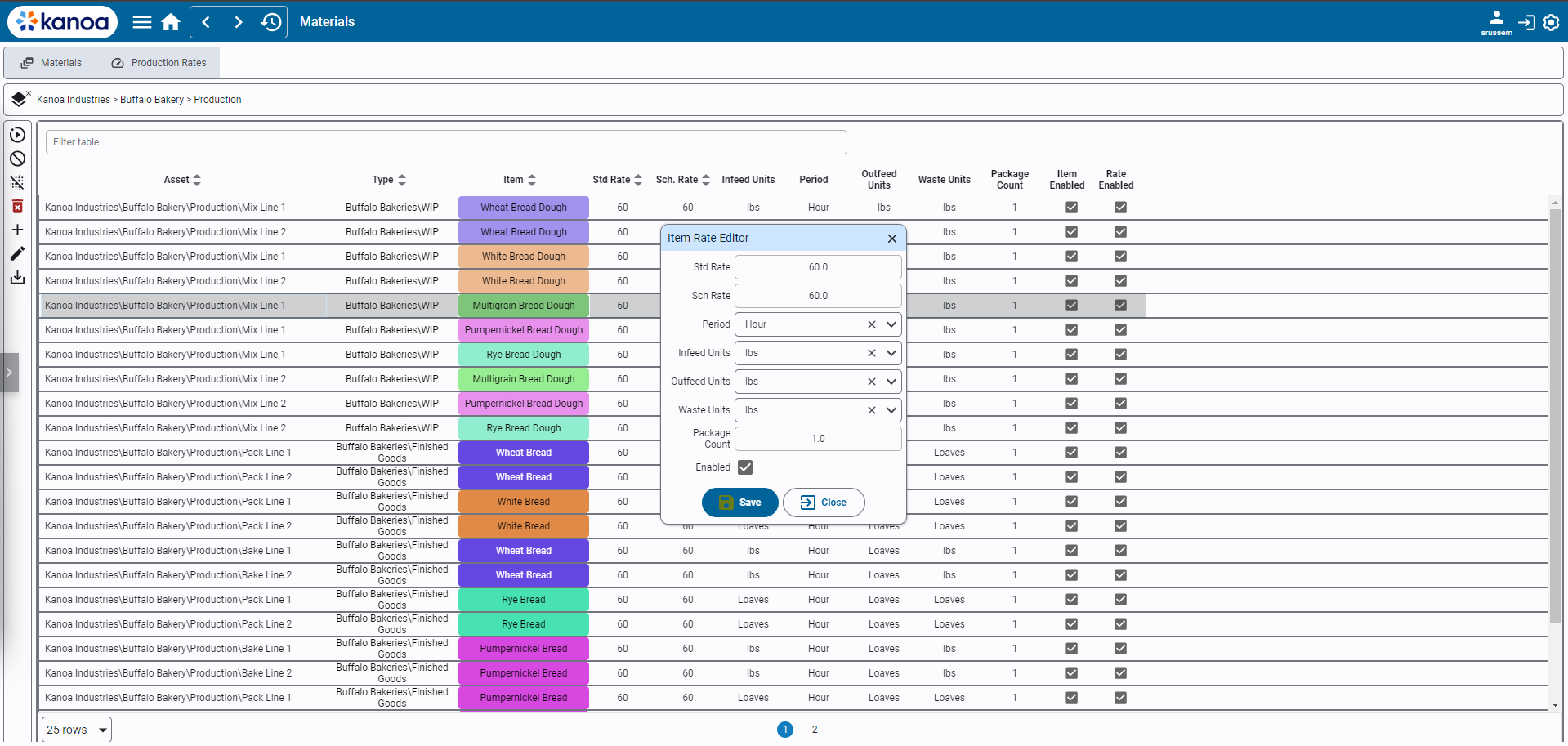
To edit one or more item product rates, click the  button.
If you have selected multiple items, you can affect just one field value, such as Std Rate, without affecting any of the other item fields.
This is useful for performing a bulk update to standard rates or units.
- Standard Rate: The theoretical or expected speed at which the asset should process material. It uses the infeed units.

In the above example, Bake Line 2 is expected to be able to process 60lbs per hour of the infeed material to make Rye Bread. The Standard Rate drives the OEE Performance calculation and should not be affected by any scrap generated which is why it is measured against lbs processed and not loaves produced.
Sometimes the standard rate set for an item running on an asset may be affected by other external factors such as crew size, inclement weather, moisture content of incoming material. To handle this, the standard rate can be modified and set at the time the asset is in production through the system.kanoa.event.assetOperationChange() system function.
- Scheduled Rate: The expected asset rate to process material based on historical OEE data.
In the example above, we would actually expect to process 40lbs per hour due to data supporting the average amount of downtime and scrap generated when running this product on this line. Schedule Rate is used whenever a production order is added to the schedule to automatically determine how long we estimate it will take to complete a production order.
- Period: The timeframe for the rate. Can be 'Minute' or 'Hour'. For batch processes where the process time is independent of quantity, such as a chemical reaction time, use 'TOTAL TIME'.
- Units: Units designation for infeed, outfeed, and waste.
- Package Count: The number of infeed units that equate to the outfeed units. Used to calculate OEE values when no infeed count exists.
Rates for a tool
On a machine that uses tooling, a run's standard rate usually comes from the mounted tool: its cycle rate times its parts per cycle (see Cycle Rates and Item Rates). When an item runs at a different speed with a particular tool, give it a rate for that tool here. Tool rates are listed under the machine's own rate for the item, with the tool in the Tool column; the machine's own rate says Machine rate there. The Tool column only shows when a listed machine uses tooling.
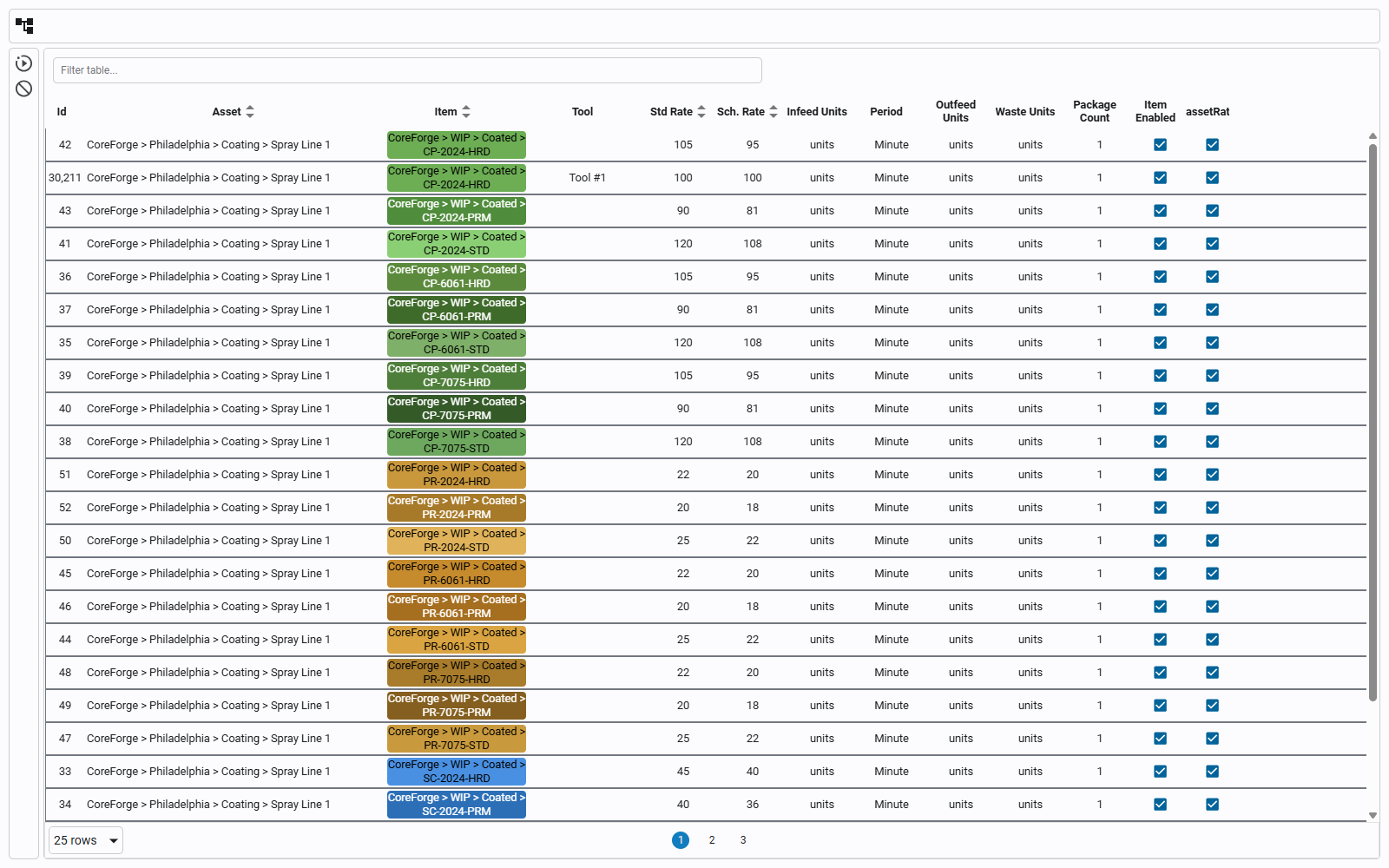
To add one:
- Select the machine's rate for the item (its Tool column says Machine rate) and click the edit button.
- In the editor, pick the Tool. The list has the tools that can be mounted on the machine, and None, the machine's own rate; a tool that already has a rate says (has a rate), and picking it edits that rate. A tool with no rate starts a new one from the machine's rate's units and period, and a hint says what the tool's cycle rate already gives the item, so you can tell whether you need a rate here at all.
- Enter the standard rate (and schedule rate) and click Save.
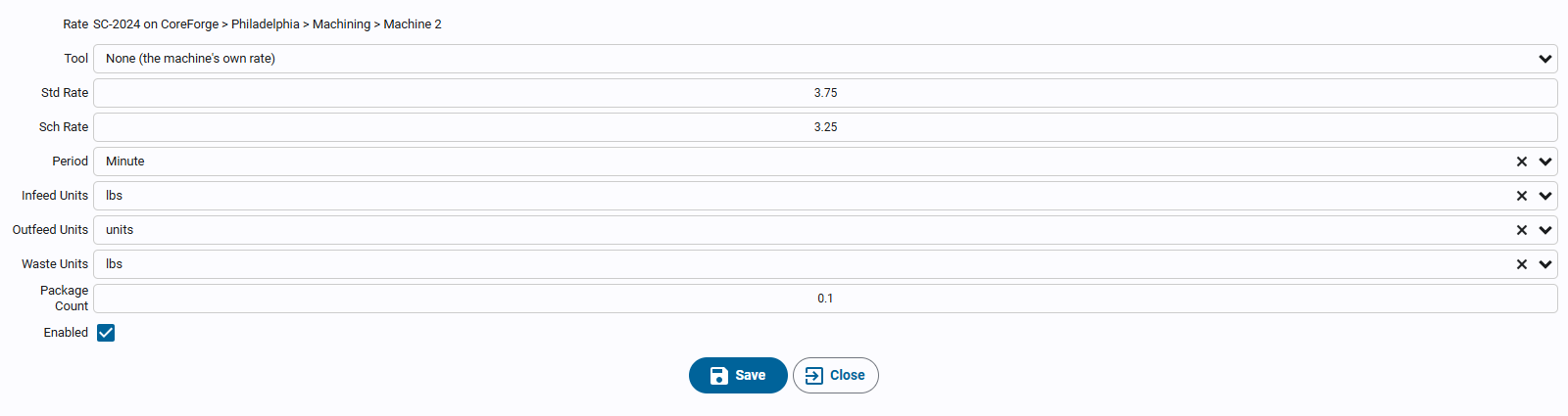
A tool rate is only for the machines in the tool's site, and only for machines that use tooling.