Tool Life
Each tool counts the cycles and running time it has done, against the limits set on its Details tab, and gets a status from them. The tool editor's Life tab shows the counts beside the limits and records maintenance.
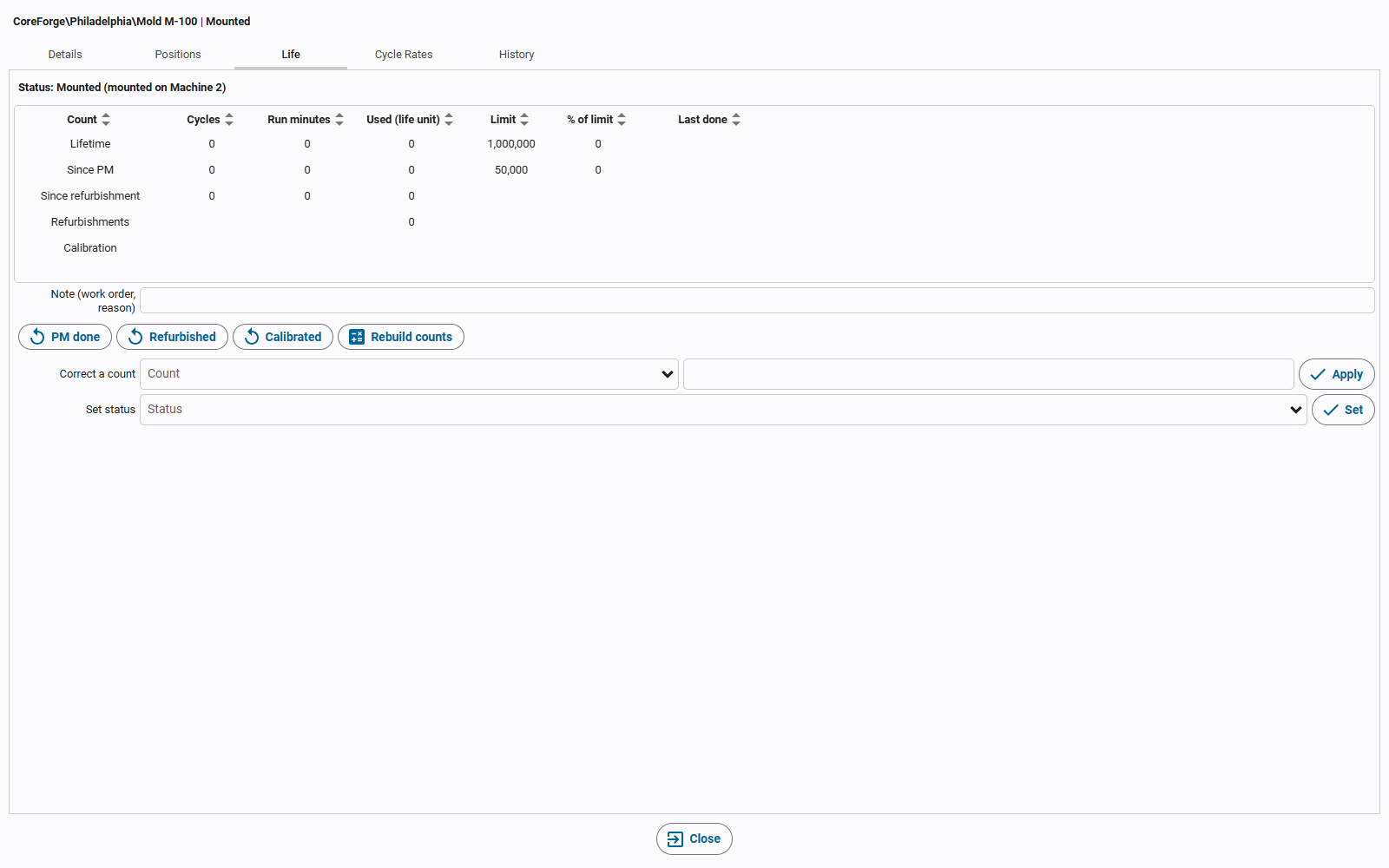
Counts
| Count | Meaning |
|---|---|
| Lifetime | Everything the tool has done. |
| Since PM | Since the last preventive maintenance. |
| Since refurbishment | Since the last refurbishment. |
| Refurbishments | How many times it has been refurbished. |
| Calibration | When it was last calibrated, and when it's next due. |
Each count has cycles and run minutes; Used (life unit) is the one in the tool's life unit, which the limits are measured in.
- Cycles come from the machine the tool is mounted on: its cycle count input, or its outfeed count divided by the parts per cycle. A tool with its own shot counter reports its readings through the machine's tags instead.
- Run minutes are the time the machine was Running while the tool was mounted.
- A back-dated mount or a corrected mount window moves the counts for that time onto (or off) the tool.
Statuses
| Status | When |
|---|---|
| Available | Not mounted, within its limits. |
| Mounted | On a machine or in a pocket. |
| Due for PM / Due for refurbishment / Due for calibration | When the tool has used its Warn at % of that limit. With a PM interval of 20,000 cycles and Warn at 90%, that's after 18,000 cycles, with 2,000 left. |
| Over limit | Past a limit (PM interval, refurbishment interval, lifetime, max refurbishments or calibration date). |
| In repair, Damaged | Set by hand. The tool can't be mounted. |
| Retired | Set by hand or by retiring the tool. The tool can't be mounted. |
Statuses are updated as counts come in, and the gateway checks every tool's limits every hour, including calendar-day and calibration limits that pass with no counting at all. Tools that are due or over a limit appear in the tools list's Alert column, on the machine's info panel (the Tooling and Notifications cards), and in the Event Notifications widget.
Recording maintenance
- PM done sets the since-PM counts to 0 and stamps the PM date.
- Refurbished sets the since-refurbishment counts to 0, stamps the date and adds one refurbishment.
- Calibrated stamps the calibration date and moves the next due date on by the calibration interval.
- Rebuild counts recomputes the counts from the machine's history over every time the tool was mounted.
- Correct a count changes one count by hand, for example to set a used tool's starting lifetime.
- Set status marks the tool In repair, Damaged or Retired, or clears that so it goes back to the status its limits and mount give it.
Add a Note (a work order number or reason) before clicking; every change is logged with it as an adjustment.
With Kanoa Maintenance
Tooling tracks a tool's life and records its maintenance on its own; Kanoa Maintenance isn't needed. With a Kanoa Maintenance license, the work can be scheduled as maintenance work orders instead:
- In Kanoa Maintenance, create a work order template set to Condition, with the tool as its Asset.
- Pick the Tool Life condition and set Due for to the PM, refurbishment or calibration limit.
- When the tool reaches its Warn at % of that limit, a work order is created. Completing it resets that count, the same as PM done, Refurbished or Calibrated on the Life tab.
The tool editor's Maintenance tab lists the tool's maintenance work orders; double-click one to open it. See Work Order Creation & Scheduling.