Inventory and Trace
Scrap and Ship remove material from current inventory, but not from the trace history. Lot Manager shows both.
-
In Ops → Lots → Lot Manager, select Active to show only lots that still have material.
-
Confirm the remaining quantities:
Lot Remaining RAL0000001900 lbs at Receiving RBI000000190 gallons at Receiving RBI000000245 gallons at Receiving WBL000000113 gallons at Spray Line 1 Application -
Clear Active to see every lot, including the machined, coated, scrapped and shipped ones.
-
Run a backward trace from the shipped package
FGP0000001. You should see:FGP0000001←WCP0000001←WMP0000001+WBL0000001←RAL0000001+RBI0000001+RBI0000002 -
Run a forward trace from
RAL0000001. It shows everywhere that aluminum went: machined, coated, inspected, split into passed and scrap, packed and shipped. -
Trace
WCP0000001-SCRAPand confirm the scrap branch is still connected to its inputs.
A forward trace is what you run when a supplier reports a bad batch: it tells you which products, and which shipments, contain that material.
Reference Materials: Lot Traceability
Lot Traceability
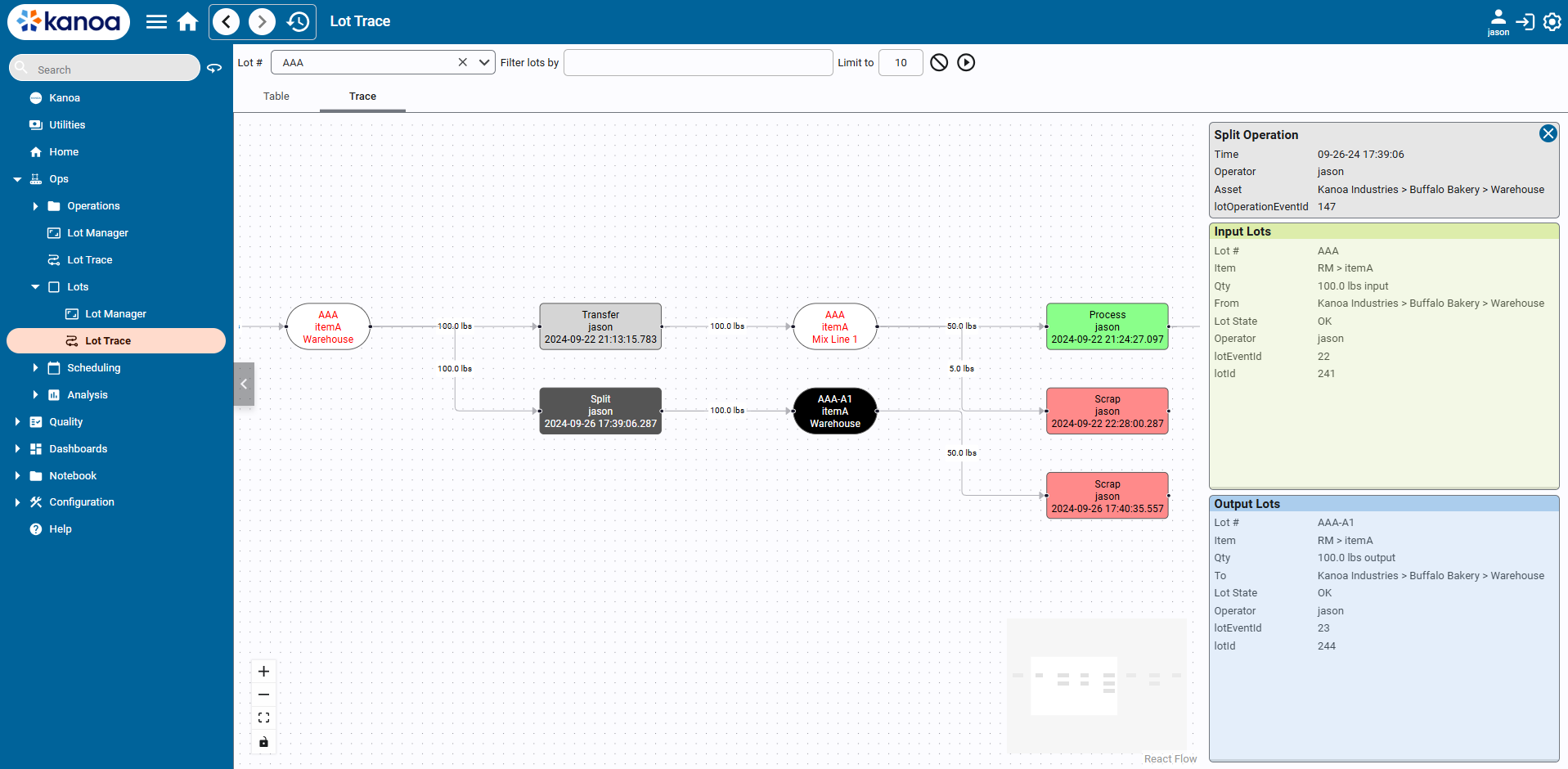
The Kanoa Node Chart component provides a way to visually trace all the operations, lots and events associated with a lot.
If your package was named FGP0000002 or higher, the Finished Goods Packages serialization had already been used. Trace from whichever name your package got.