Run the Manual Lot Flow
You'll follow 2024 aluminum all the way to a shipped package of hardened coupling pins. Every step is a lot operation in Ops → Lots → Lot Manager: choose the operation and its asset, then enter the input and output lots.
All assets below are under CoreForge\Philadelphia.
Reference Materials: Executing Lot Operations
Executing Lot Operations
The Lot Manager screen shows the location and state of all lots. Lot Operations can be executed from this screen, however, it is primarily intended to demonstrate how lot operations can be executed and it is expected that custom operator screens would be created using this screen as an example.
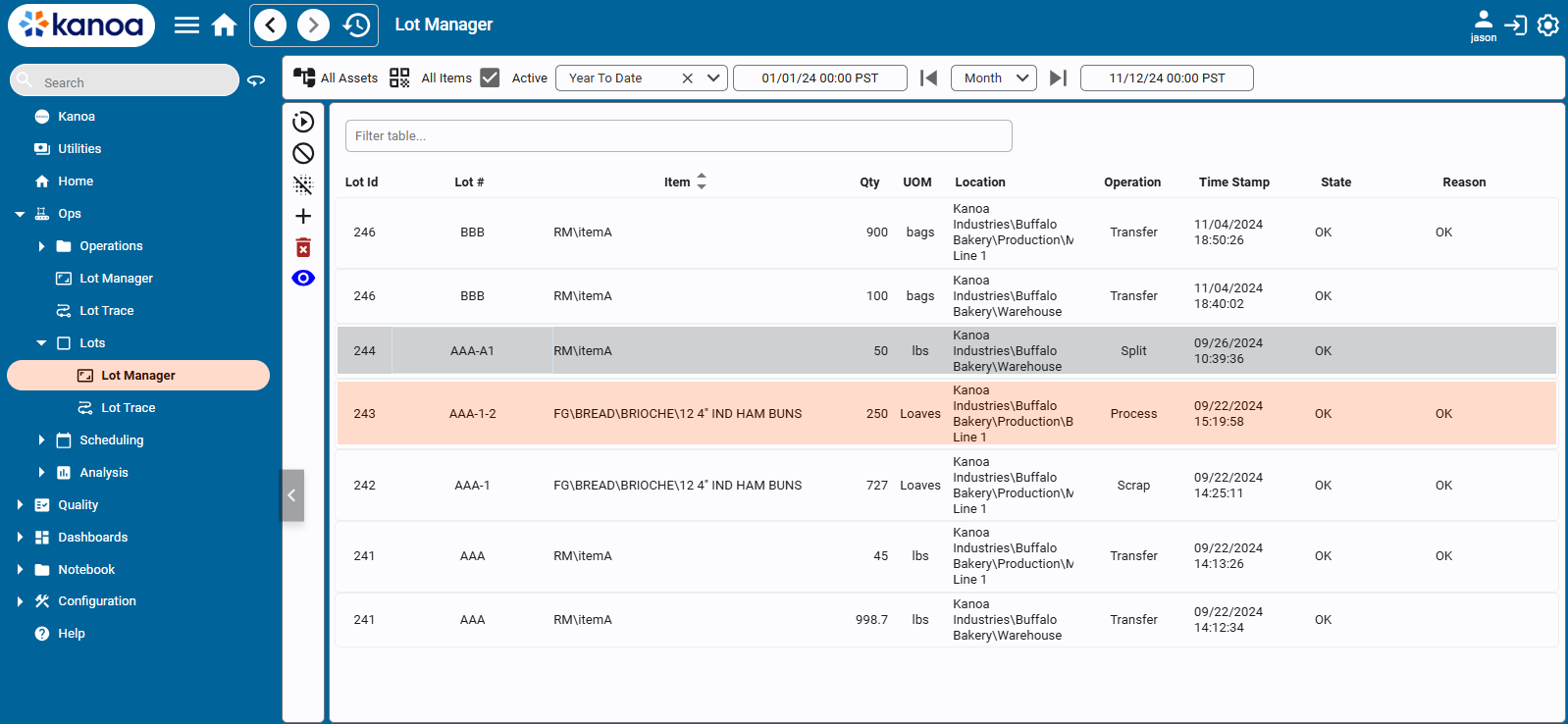
- Add a
Receiveoperation atStorage\Receivingwith one output: serializationRaw Aluminum, itemAL2024,1000lbs, stateOK. Kanoa names itRAL0000001. - Add another
ReceiveatStorage\Receivingwith two outputs fromRaw Blending Ingredients:100gallons ofSTD-COAT(RBI0000001) and50gallons ofPRM-COAT(RBI0000002).
- Open
RAL0000001and add aTransfertoMachining\Machine 1: input 100 lbs, output the same lot. Receiving now holds 900 lbs and Machine 1 holds 100 lbs. - Add a
Machineoperation atMachining\Machine 1: input 100 lbs ofRAL0000001, output50units ofCP-2024fromWIP Machined Parts(WMP0000001). - Add a
BlendatMixing\Mixer 1: inputs 10 gallons ofRBI0000001and 5 gallons ofRBI0000002, output15gallons ofBL-HRDfromWIP Coatings/Blends(WBL0000001).
Transferall 15 gallons ofWBL0000001toCoating\Spray Line 1\Application, and all 50 units ofWMP0000001toCoating\Spray Line 1.- Add a
CoatatCoating\Spray Line 1: inputs 2 gallons ofWBL0000001and 50 units ofWMP0000001, output50units ofCP-2024-HRDfromWIP Coated Parts(WCP0000001). Transferthe 50 units ofWCP0000001toFinishing\QA Station.- Add an
InspectatFinishing\QA Station: input 50 units ofWCP0000001, with two outputs:45units ofWCP0000001with stateOK, and5units of a new lot you nameWCP0000001-SCRAPwith stateScrap. - Open
WCP0000001-SCRAPand add aScrapoperation atFinishing\QA Stationfor all 5 units.
Transferthe 45 units ofWCP0000001toFinishing\Auto Pack 1.- Add a
PackatFinishing\Auto Pack 1: input 45 units ofWCP0000001, output1package ofFG-CP-2024-HRD-250fromFinished Goods Packages(FGP0000001). A partial package is fine for training. Transferthe package toStorage\Shipping.- Add a
ShipatStorage\Shippingwith the package as its input and no output.
Keep moves and changes as separate operations, a Transfer and then a Machine, rather than one operation that does both. The genealogy is easier to read, and each step shows up where it happened.