Complete a Quality Check
Your plant's quality checks are set up as check sheets: a list of things to measure or confirm, such as a diameter, a coating thickness, or Guard in place: Yes / No. Kanoa schedules them for you, at the start of a run, on a mode change, at a shift change, or every so often while the machine runs. This lesson shows you how to find a check when it comes due and complete it.
Find a Check That's Due
When a check is coming due, due or overdue, the Notifications card on the info panel says so. Tap the card, then tap the check to open it.
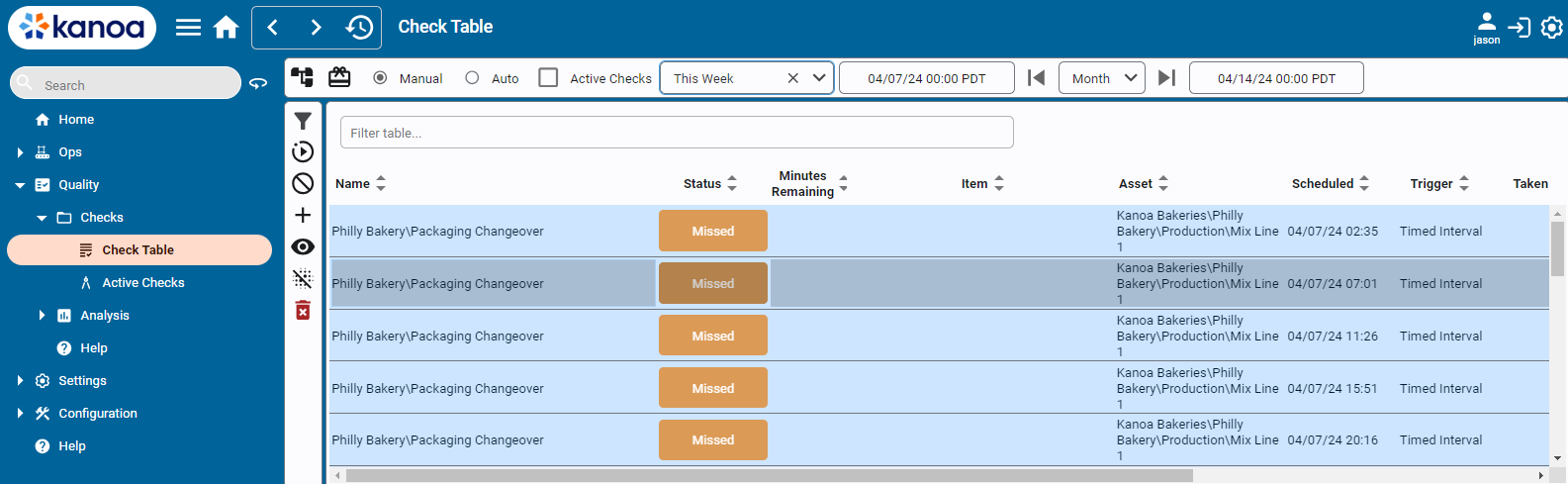
You can also find your checks in Quality → Schedule → Active Checks or Check Table. Double-click a check to open it.
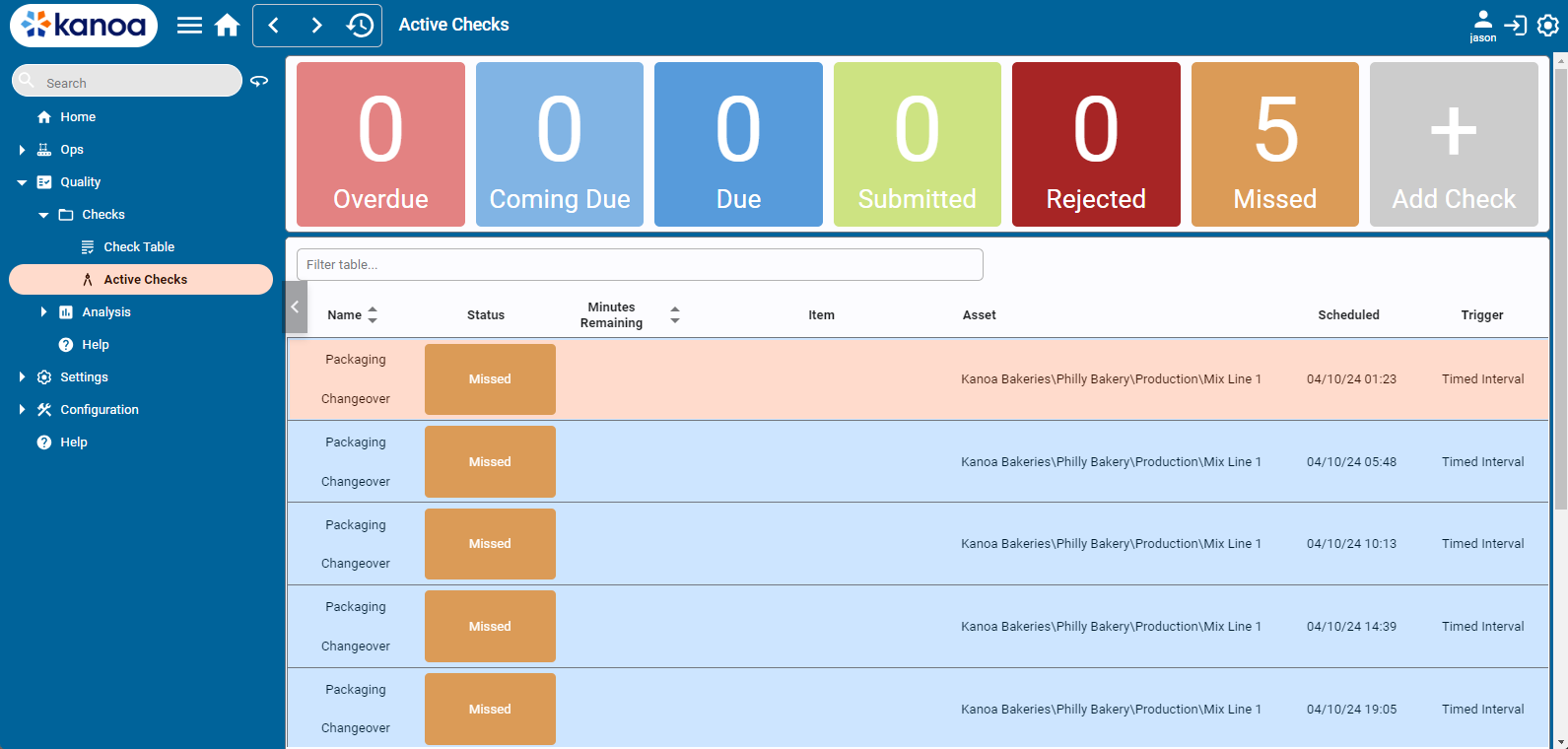
Complete checks when they come due, not when they're overdue. A missed check shows on your supervisor's reports, and a problem caught late means more parts to scrap.
Enter the Values
The check sheet lists each check, grouped if your plant has set up groups. A progress bar at the top shows how much you've done.
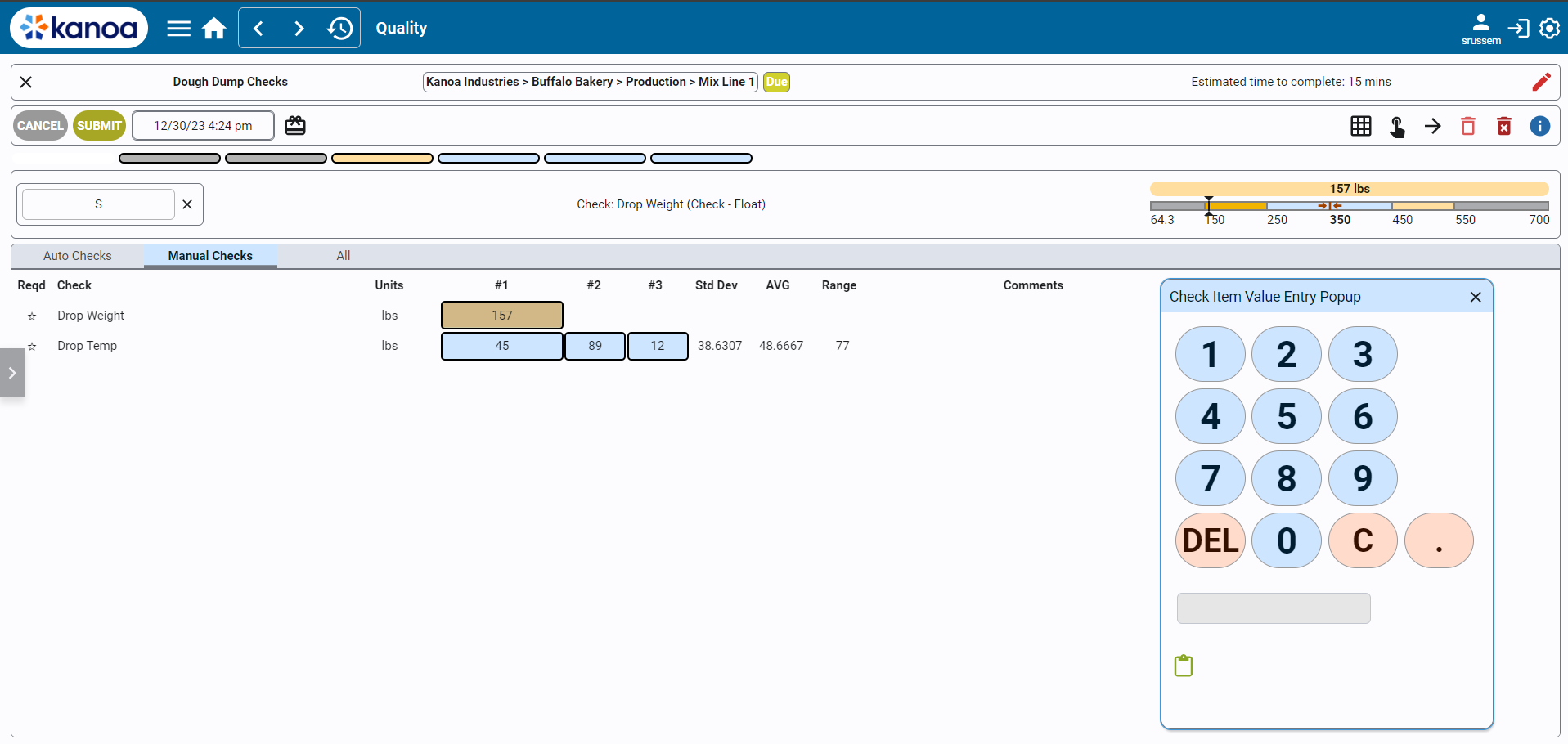
- Enter a value for the selected check. For a pick list, such as Pass / Fail, tap the button. For a number, use the keypad.
- After each value, the next check is selected for you.
- Tap the blue i icon on a check if you need its instructions.
Each check is colored when you've entered it, against its limits:
- A value outside the entry limits isn't accepted. Kanoa tells you the allowed range: check your reading and enter it again.
- A value inside the entry limits but outside the specification is saved, but shown in red as failed.
Submit the Check
- If any check failed, add a comment saying what you found and what you did, such as Re-measured, still 0.2 mm over. Stopped the line and called quality. A check sheet with a failure can't be submitted without a comment.
- Submit the check sheet.
If you open a check by mistake, you can cancel it at any time before you submit.
A failed check isn't something to submit and forget. Follow your plant's procedure for a failed check, which usually means telling your supervisor or quality straight away.
Checks on a Mobile Device
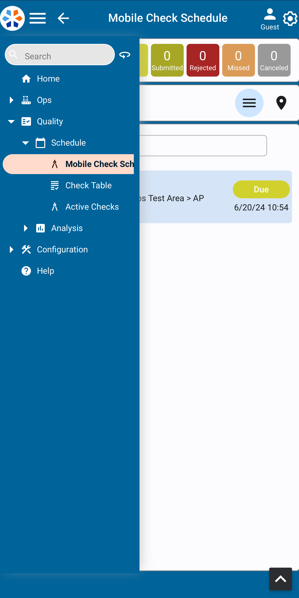
You can complete the same checks on a phone or tablet. Open Mobile Check Schedule from the menu, and open the check. On mobile you can also take a photo or video with a check, which is useful to show a defect.
Reference Materials: Entering Checks - Check entry, controls and mobile.
Check Sheets are automatically scheduled based on their triggers and activities on production lines, such as production runs, mode changes, and shift changes. See Creating Checks for information on how to set up check sheet triggers.
Scheduled check sheets can be opened from the 'Check Table' or the 'Active Check' screen. Double-click on a scheduled Check Sheet or select the Edit button to open it for entering check data.
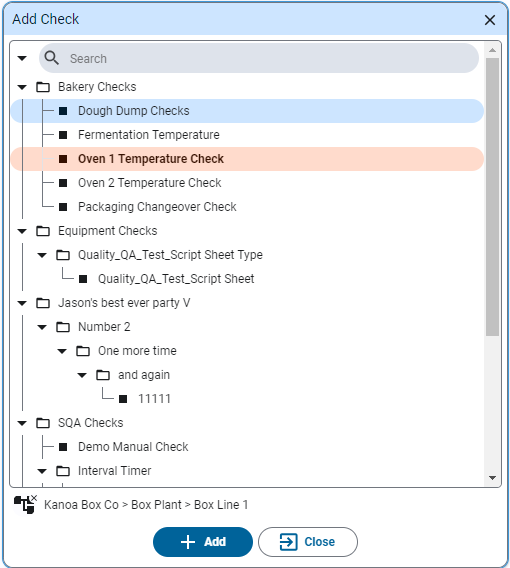
Check Sheets can also be created on the fly by clicking the 'Add Check' button. If the Check Sheet specifies an asset and an item in its configuration, you will be asked to select which asset and which item this check is being performed against.
The list only shows Released, enabled check sheets, and it leaves out Auto check sheets: their values are captured from tags, so they're normally scheduled by a trigger rather than added by hand. To add one anyway, tick Include Auto Checks below the list. The Auto check sheets are then listed with the others. An Auto check added this way still takes its values from its tags, but because someone added it by hand it's listed with the manual checks, on Active Checks and on the mobile check schedule. Auto checks a trigger schedules stay under the Auto filter.
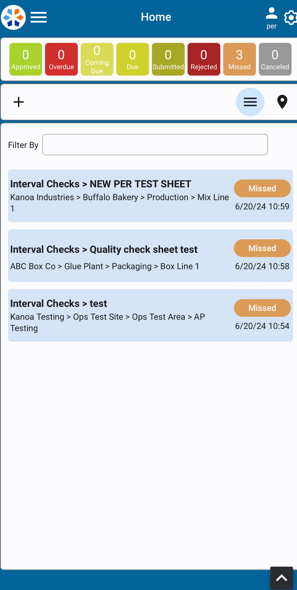
Checks can also be scheduled from your mobile device. From your mobile device, select the Mobile Check Schedule in the left menu to bring up the mobile checks page. Schedule a new check by clicking the add icon (+ sign) in the upper left on page. Select an asset and an item, then click the Add button to schedule the check. As on the desktop, Auto check sheets are only listed when Include Auto Checks is ticked.
Enter Check data
All check input fields will be displayed as defined by the check sheet. If Check Groups are used - they will display above the checks themselves. Check entry can be toggled between a Value Entry Popup window or keyboard input by clicking the
in the upper-right corner. There is also a selection for touch screen entry for devices with the ability.
After a check has been entered, the next check is automatically selected; after the last check in a group, the selection stays on it rather than going back to the top. If there are multiple measurement counts, the direction in which the next check is selected can be changed by clicking the
icon . A check entry can be cleared by using the icon.If a pick list has been defined for a check item, pick list buttons are displayed for the user to enter the check value. If no picklist is defined for a numeric check, the numeric keypad is displayed. The numeric keypad can also be used instead of the picklist buttons by clicking .
A value outside a check's entry limits is refused with a message that gives the allowed range, and nothing is saved; enter a value within it. A value within the entry limits but outside the check's specification is saved and shown as failed.
Comments can be added for individual check items or a general comment for the check sheet can be added. If any check fails (as indicated by a red background), a comment will be required when the check sheet is submitted.
Above the Check Groups - to the right, the Spec Checks will be displayed with a graphical display of limits and actuals
A progress bar at the top tracks completion. Color coding indicates the status of each check (white/empty for incomplete, color-coded for complete with good/bad thresholds, gray for complete without thresholds).
Click the blue i icon and a dialog box will open with the information for each check as defined in the Check Sheet.
At any time during check entry, Check Sheet can be canceled. Once the checks are all entered, the check sheet can be submitted for approval and then accepted or rejected.
Checks can also be entered using your mobile device. On mobile, additional options include GPS tracking with a map view to record where checks were entered, as well as the ability to take photos or videos.
Controls
- Close Button: Located in the upper left, used to exit the check.
- Check Name: Displays the name of the check.
- Asset Information: Shows the assigned asset and current status of the check (e.g., due, coming due).
- Estimated Time to Complete: Indicates the time required to complete the check.
- Mode Indicator: Displays whether the check is in edit mode (for completing the check) or view mode (for reviewing entered data).
- Timestamp: Shows the current timestamp associated with the check.
- Edit Item Classes Button: For associating items to the check, if applicable.
- Toggle Keypad/Button Size: Switches between touchscreen and keyboard-friendly interfaces.
- Navigation Controls: Includes buttons for navigating between check entries and a clear button to reset check values.
- Information Button: Provides additional instructions for the check sheet.
Check Your Understanding
- How do you know a quality check is coming due?
- You enter a value and Kanoa refuses it with an allowed range. What does that mean?
- One check failed. What must you do before you can submit?
Answers
- The Notifications card on the info panel says so.
- The value is outside the check's entry limits. Check the reading, and enter it again.
- Add a comment saying what you found and what you did.
You've Finished the Operator Track
You can now run a shift on your machine in Kanoa: open it, run production, give every stop and every scrapped part a reason, change over, and keep up with your quality checks.