Configure the Database Connection
Kanoa MES uses a Microsoft SQL Server database connection named kanoaCore. This connection is required.
Kanoa MES requires Microsoft SQL Server 2019 (15.0) or later.
KanoaMES supports sites in multiple timezones, but this requires that both the database and gateway servers MUST be set to UTC timezone to eliminate issues arising from daylight savings.
Create the database connection in the Ignition Gateway
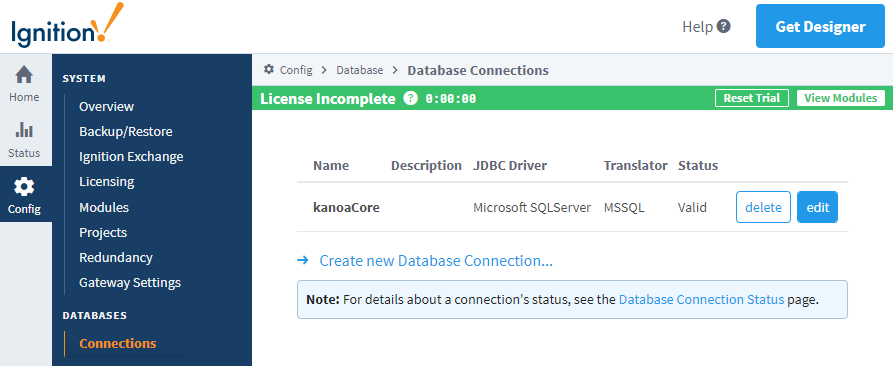
In the Ignition Gateway, create a new database connection and name it:
kanoaCore(required name)
Reference: Connecting to Databases (Ignition 8.1)
- The database connection name must be
kanoaCore. - The userName and credentials used in the database connection must be a user with dbOwner privileges in order to create the kanoaMES schema, tables.
- Set Max Active to -1 in the advanced options.
- Recommend setting Include Schema in Table Name to true.
KanoaMES makes frequent fast responsive database queries, but depending on load may have numerous open pool thread connections to the database. Ensure you have set Max Active to -1 in the advanced options, to avoid laggy systems.
Schema creation and updates
The Kanoa MES module installer handles both:
- creation of the required database schema (on first install), and
- updating the schema (on upgrade)
You do not need to manually create tables as part of the install process.